
Introducing Haglof Applications
Application and Cloud services
Our applications and services that we offer.

Haglöf Sweden application Hub
Your gateway to Haglöf digital solutions
From field measurement to finished report.
Smart tools for anyone working with Haglöf instruments and forest machines. Build caliper templates, check your harvester’s calibration and get finished results in seconds, right in your browser.
Our web-based applications are designed to connect Haglöf measuring instruments with practical digital tools for both field and office work.
All applications run directly in your web browser, with no installation required. Use them on a computer, tablet, or mobile device wherever you have an internet connection.
Our goal
Our goal is to make field data easier to collect, manage, share, and use throughout your workflow.
Our web applications help you to:
- Collect and manage field data
- Share data between users and devices
- Process and analyze collected data
- Reduce the risk of data loss
- Improve collaboration between field and office
- Access your data and applications wherever you work
We continuously develop new web applications and features to create a growing digital platform around Haglöf Sweden’s professional measuring solutions.
Know your stockpile
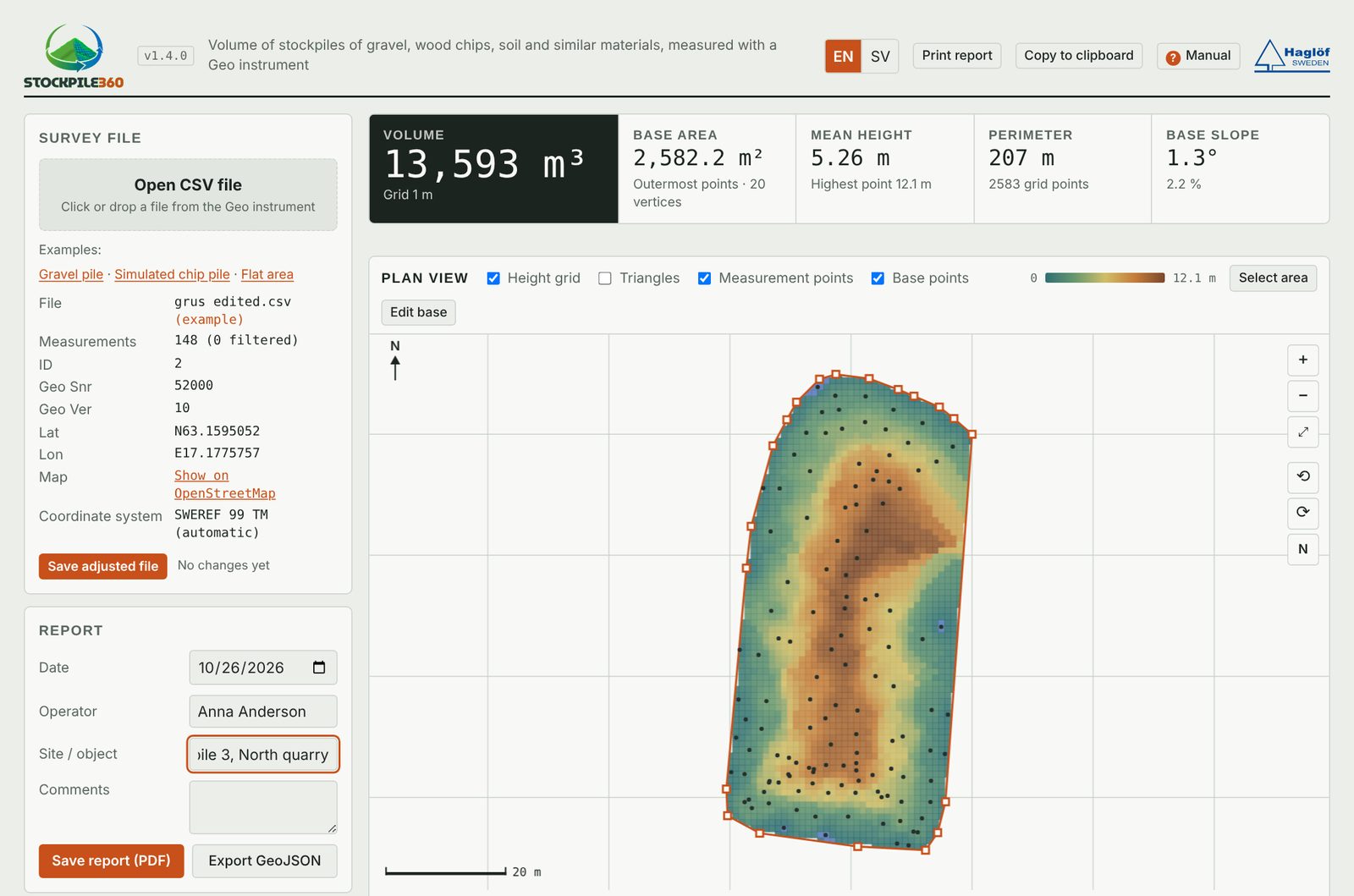
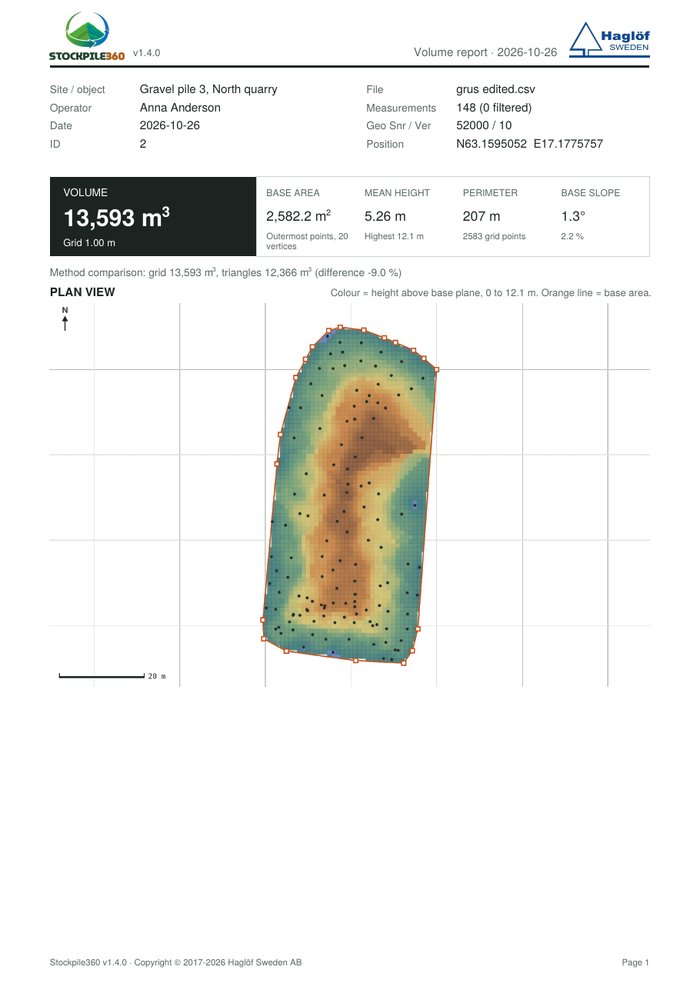
Calculate the volume of gravel, wood chip and soil stockpiles from your Haglöf Geo surveys. See the pile on screen, fine-tune the points and get a volume you can stand behind.
- Volume calculation straight from Haglöf Geo files
- Adjust base and measurement points on screen
- Export a PDF report, GeoJSON for GIS, or CS

From caliper to finished report
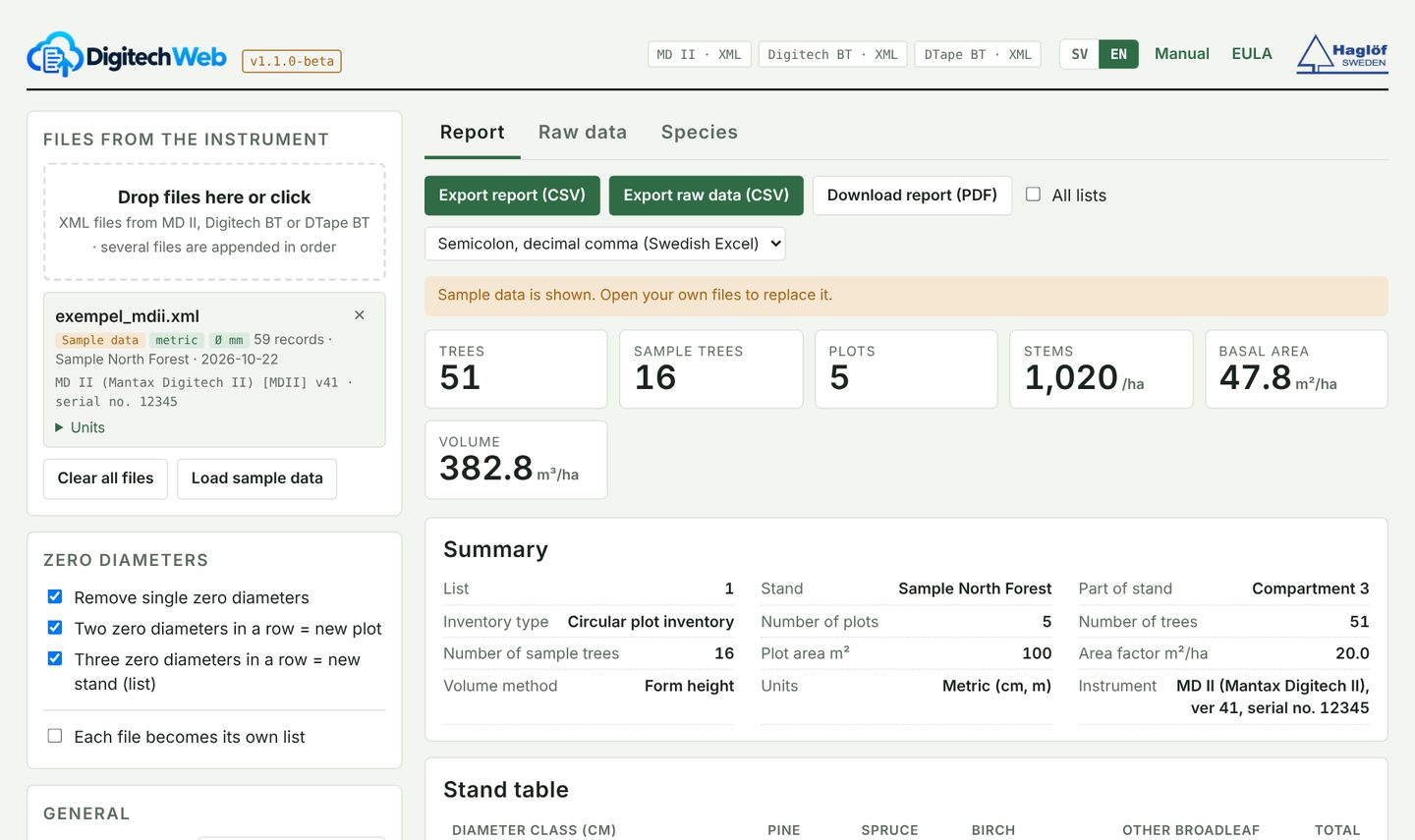
Load the file from your Haglöf caliper and get stand data instantly. Digitech Web calculates the diameter distribution, mean diameter, mean height, basal area, volume and height curve for you.
- Works with Haglof Link, MD II+, MD II, Digitech BT and DTape BT
- Basal area, volume and height curve, automatically
- Export to CSV or as a finished PDF report
Build and edit Versio DP templates — right in your browser
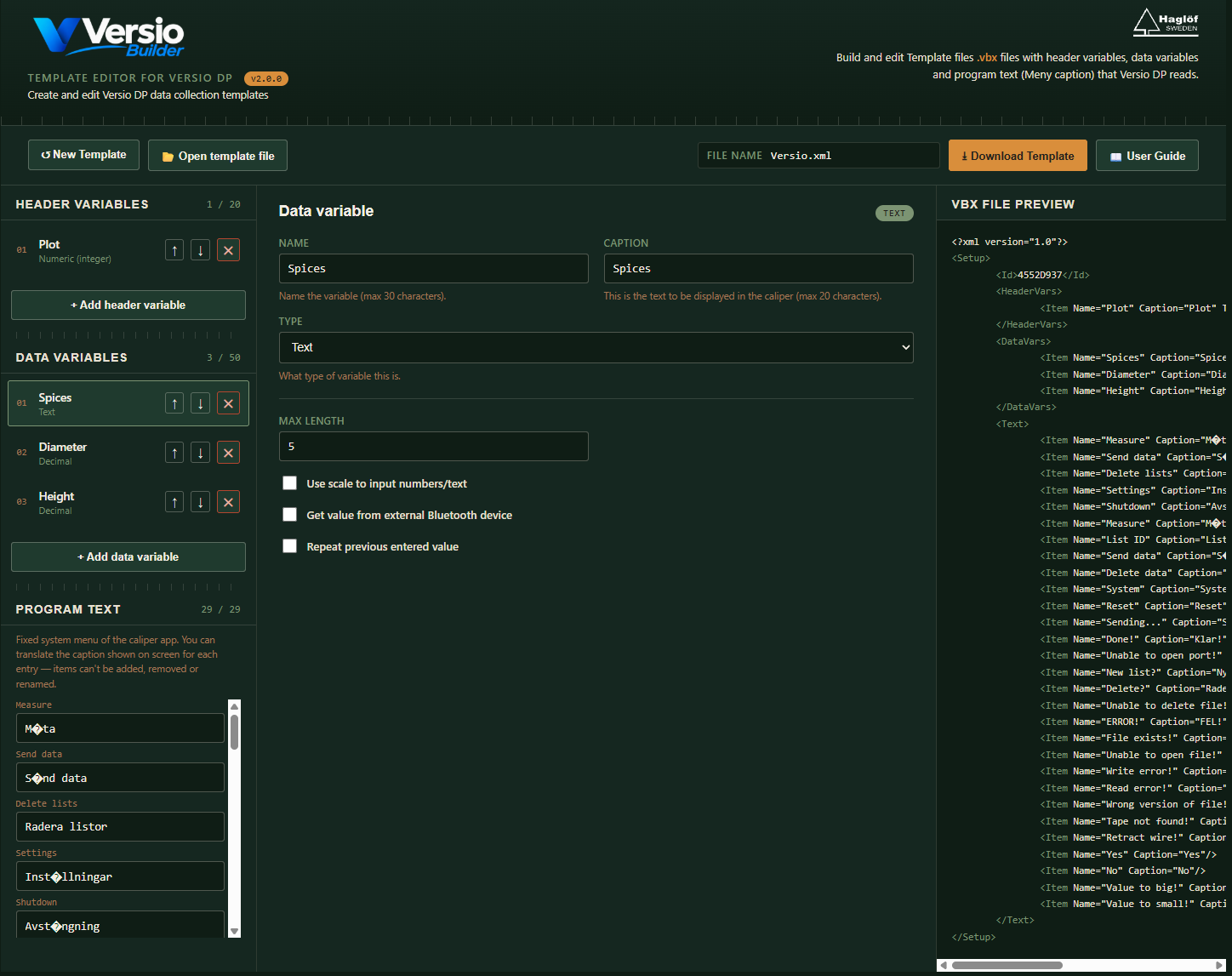
Versio Builder is a free, web-based editor for creating and editing the data-collection templates (.vbx files) used by Versio DP on Haglöf’s calipers. No installation, no license, no server — just open it and start building.
Calibration analysis for harvesters
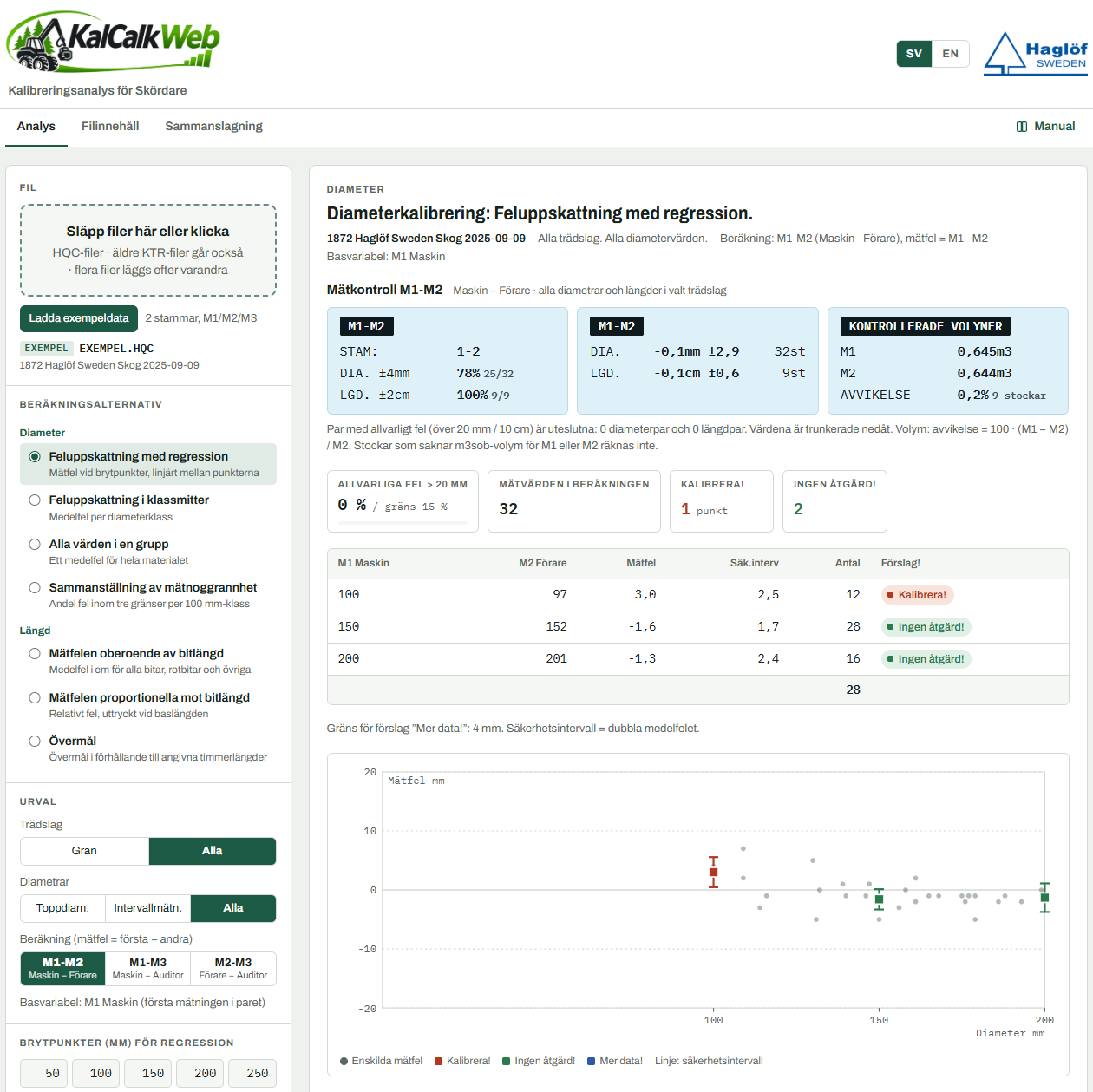
Compare the harvester’s diameter and length measurements with check measurements and get a clear answer: calibrate, no action, or collect more data. Built on KalKalk 4.0 for Windows, now right in your browser.
- Reads HQC (StanForD 2010) and older KTR files
- Seven calculation options for diameter and length
- Export a PDF report, CSV, PNG chart or to Excel
 Our mobile App’s


Haglof Link
Haglof Link is an app for mobile devices to receive files via Bluetooth from Haglöf Sweden’s instruments such as DTape BT, Digitech BT, MD II+, DP II+, Laser Geo 2 and Vertex Laser Geo 2.
Haglof Link is available for Android and iOS.
With this app you can receive the file of a measurement of a Pile or a Pit preformed whit the instruments Laser Geo 2 or Vertex Laser Geo 2, then upload it to Stockpile 360.


Compatible Devices that can transfer files to Haglof Link
Through the built-in Bluetooth in these devices, files can be transferred to the mobile device using Haglof Link
Laser Geo & Geo 2

Vertex Laser Geo & Geo 2

Vertex 5

Digitech BT

MD II & MD II+ - Calipers

DP II & DP II+ - Computer Caliper
